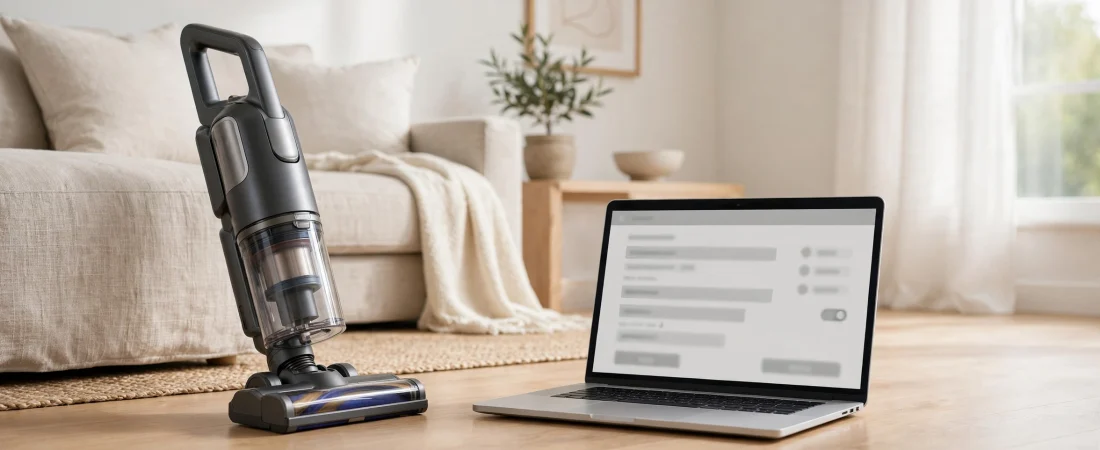
RegisterYourShark.com is SharkNinja’s official product registration portal for Shark home appliances. If you have just bought a Shark vacuum, mop, air purifier, or hair dryer, this is the website SharkNinja points you to when it asks you to register your product online. Registration is free, takes only a few minutes, and links your appliance to your details so that warranty help and customer support become faster and simpler later on.
In this 2026 review, we explain exactly what RegisterYourShark.com is, how registration works step by step, what information you need, which products it covers, what benefits you actually get, and what to do if something goes wrong. We also clear up a common misunderstanding: registering your product is not the same as making a warranty claim.
What Is RegisterYourShark.com?
RegisterYourShark.com is the online registration page operated by SharkNinja Operating LLC, the American company behind the Shark and Ninja brands. Shark focuses mainly on home cleaning and personal care appliances such as vacuums, mops, air purifiers, and hair tools, while Ninja focuses on kitchen products such as blenders, air fryers, and coffee makers.
When you buy a Shark appliance, the instruction manual and warranty documents repeatedly direct you to RegisterYourShark.com. The purpose is simple: by entering your name, your product’s model number, and your purchase details, you create a record that ties that specific appliance to you, its owner. That record helps SharkNinja confirm ownership, check warranty eligibility, and help you faster if you ever need repairs, replacement parts, or troubleshooting advice.
It is important to understand what the site is not. It is not a shop, it is not a repair booking system, and it is not where you file a warranty claim. It is a registration portal — a short form that activates and records your product’s warranty details. Warranty claims themselves are handled by phone through SharkNinja customer service.
Which Shark Products Can You Register?
RegisterYourShark.com covers Shark-branded home appliances. The products most commonly registered through the portal include:
- Shark corded and cordless vacuums, including upright, stick, and robot vacuums
- Shark steam mops and hard-floor cleaners
- Shark air purifiers
- Shark hair dryers and styling tools
- Other Shark home cleaning and personal care appliances
If your appliance carries the Shark brand name, it can almost certainly be registered through the portal. Ninja kitchen products, by contrast, are handled through Ninja’s own support channels, even though both brands belong to the same parent company.
The easiest way to check is to look at the box or the manual that came with your product. If it tells you to register at RegisterYourShark.com, that is the right portal for your model.
How to Register Your Shark Product: Step by Step
Registering a Shark product is straightforward. Here is the full process, based on SharkNinja’s own manuals and registration guidance:
Step 1: Go to RegisterYourShark.com
Open your browser and visit RegisterYourShark.com. You will be directed into the SharkNinja account area, so sign in if you already have an account, or create one if this is your first SharkNinja product.
Step 2: Enter Your Name
Type in your first and last name, exactly as you would want them to appear on your warranty record. Use the name of the person who owns the product, since warranty coverage applies to the original owner.
Step 3: Find Your Model Number
Locate the model number of your product. It is usually printed on the box, on a label on the appliance itself, or in the manual. On some newer models, you can also find it by scanning the QR code label on the product. Entering the correct model number matters, because it tells SharkNinja exactly which appliance you own and which warranty terms apply to it.
Step 4: Enter Your Purchase Details
Add the date you bought the product and the store or website you bought it from. Keep your receipt safe — SharkNinja asks for proof of purchase when you make a warranty claim, so the receipt and the registration record work together.
Step 5: Add Your Contact Details
Enter your phone number and email address, and select your country. These details let SharkNinja contact you about your product, send care tips, and reach you if there is ever a safety notice or recall affecting your model.
Step 6: Submit the Form
Review your details and click Submit. Your product is now registered, and your warranty record is linked to your SharkNinja account.
The whole process usually takes less than five minutes, provided you have the model number and purchase details to hand.
What Information Do You Need Before You Start?
To avoid stopping halfway through, gather these four things before you begin:
- Your Shark product’s model number, from the box, the label on the appliance, or the manual
- The purchase date and the name of the store or website where you bought it
- Your receipt or order confirmation, in case you need proof of purchase later
- Your email address and phone number for your SharkNinja account
That is all the portal asks for. It does not ask for payment details, and product registration itself is free. If any website claiming to be a Shark registration page asks you to pay a fee or enter card details, leave it immediately — that is not the official portal.
Benefits of Registering Your Shark Product
Registration is optional, but SharkNinja gives several good reasons to do it. The main benefits are:
- Faster, easier product support. With your product already on file, customer service can pull up your model and warranty details straight away instead of asking you to repeat them.
- Warranty activation. Registration activates your warranty record, so there is less to prove if you ever need a repair or replacement.
- Access to warranty information. You can check what your warranty covers and how long it lasts from your account.
- Troubleshooting and product care guidance. Registered owners can more easily find care instructions, maintenance tips, and troubleshooting help for their exact model.
- News about promotions and new products. SharkNinja says registered owners may be among the first to hear about exclusive promotions and new Shark technology.
One important detail from SharkNinja’s own documents: if you bought your Shark product directly from SharkNinja, your purchase is registered automatically and your warranty is activated without you needing to fill in the form. Registration through RegisterYourShark.com matters most when you bought your appliance from a retailer instead.
Registering vs. Making a Warranty Claim: An Important Difference
Many Shark owners confuse these two steps, so let us be clear. Registering your product records your ownership and activates your warranty. It does not start a repair, and it does not by itself get you a replacement.
To initiate a warranty claim, SharkNinja requires you to call its customer service team — in the United States, the number given in Shark manuals is 1-800-798-7398. You will need your receipt as proof of purchase, and you should have your product to hand when you call, so the specialist can help you faster. Having already registered at RegisterYourShark.com makes that call smoother, but the call itself is still the step that starts a claim.
Similarly, a fee may apply when SharkNinja ships a repaired or replacement unit back to you. Shark manuals mention a return-shipping fee that varies by product line and is subject to change, so check the current terms for your model rather than assuming a fixed figure.
Is RegisterYourShark.com Legitimate and Safe?
Yes. RegisterYourShark.com is SharkNinja’s own official registration portal, and it is referenced across SharkNinja’s official product manuals and warranty documents. It is the address Shark itself prints in its instruction guides.
A few safety rules still apply, as with any account site:
- Only use the official address: RegisterYourShark.com, or the SharkNinja account pages it leads to.
- Never pay to register. Product registration is free.
- Never enter your SharkNinja password on a third-party site claiming to register your product for you.
- Keep your receipt. Registration helps, but proof of purchase is what SharkNinja asks for when a claim is made.
If you are ever unsure whether a page is genuine, go to Shark’s main support site, sharkclean.com, and follow its links to product registration from there.
Common Problems and How to Fix Them
I cannot find my model number
Check the box first, then the label on the appliance itself — often on the underside or back. Newer models also carry a QR code label that contains the model and serial numbers. Your manual usually shows where the label is located for that model.
The site asks me to log in
That is expected. Registration now runs through a SharkNinja account, so create a free account or sign in with your existing one. Use an email address you can still access, since it is also how SharkNinja will contact you.
I bought my Shark product as a gift
Register it in the name of the person who will own and use the product, because warranty coverage applies to the original owner and is generally not transferable.
I bought directly from SharkNinja
Your purchase may already be registered automatically. Sign in to your SharkNinja account and check whether the product appears there before filling in the form again.
I need a repair, not registration
Registration alone will not arrange a repair. Call SharkNinja customer service on 1-800-798-7398 in the US, with your receipt and your product to hand, and the team will guide you through the warranty claim process.
RegisterYourShark.com at a Glance
| Feature | Details |
|---|---|
| What it is | SharkNinja’s official Shark product registration portal |
| Cost | Free to register |
| Products covered | Shark vacuums, mops, air purifiers, hair tools, and other Shark appliances |
| What you need | Name, model number, purchase date and store, email, phone, country |
| Account required | Yes — registration runs through a SharkNinja account |
| Warranty claims | Made by phone (US: 1-800-798-7398), not through registration alone |
| Direct SharkNinja purchases | Registered automatically |
| Official support site | sharkclean.com |
Pros and Cons
Pros
- Official SharkNinja portal, referenced in Shark’s own manuals
- Free and quick — registration takes only a few minutes
- Activates your warranty record and speeds up future support
- Covers the full Shark home appliance range
- Helpful for owners who bought from retailers rather than directly from SharkNinja
Cons
- Registration alone does not start a warranty claim — you still need to phone in
- Requires a SharkNinja account rather than a simple anonymous form
- Warranty coverage applies to the original owner and is not transferable
- Some shipping fees may apply when a repaired or replacement unit is sent back
Frequently Asked Questions About RegisterYourShark.com
What is RegisterYourShark.com?
RegisterYourShark.com is SharkNinja’s official website for registering Shark home appliances. It records your product’s model number and purchase details against your name, activating your warranty record and making future customer support faster.
Is RegisterYourShark.com free?
Yes. Registering your Shark product is completely free. You should never be asked to pay a fee or enter payment details to register.
Do I have to register my Shark product?
Registration is not compulsory, but SharkNinja recommends it. It activates your warranty record and makes support and warranty help much smoother if you ever need them.
What do I need to register my Shark product?
You need your name, your product’s model number, the purchase date and store, and your email address and phone number. Your receipt is also worth keeping as proof of purchase.
How do I make a warranty claim for my Shark product?
First register your product at RegisterYourShark.com if you have not already. Then call SharkNinja customer service — 1-800-798-7398 in the US — with your receipt and your product to hand. A specialist will guide you through the claim.
I bought my Shark product directly from SharkNinja. Do I still need to register?
Probably not. Purchases made directly from SharkNinja are registered automatically, with the warranty activated. Check your SharkNinja account to confirm your product is listed.
Is RegisterYourShark.com the same as SharkClean.com?
No. SharkClean.com is Shark’s main support and product care site, while RegisterYourShark.com is the dedicated product registration portal. The two work together: registration records your product, and SharkClean provides support, manuals, and parts.
Final Verdict: Is RegisterYourShark.com Worth Using in 2026?
If you own a Shark appliance, registering it at RegisterYourShark.com is a sensible five-minute job that pays off the first time you need help. It is free, it is official, and it removes friction from warranty support by putting your product, model, and purchase details on record before anything goes wrong.
Just remember its limits. Registration is not a repair request, and it is not a substitute for your receipt. Register the product, keep the receipt somewhere safe, and if the appliance ever fails under warranty, call SharkNinja with both to hand.
For Shark owners, that combination — a registered product plus proof of purchase — is the simplest way to make sure a warranty claim goes smoothly.
Related reading: our previous review, What Is ProcurementNation.com?
Visit the SparkPressFusion homepage for more reviews.