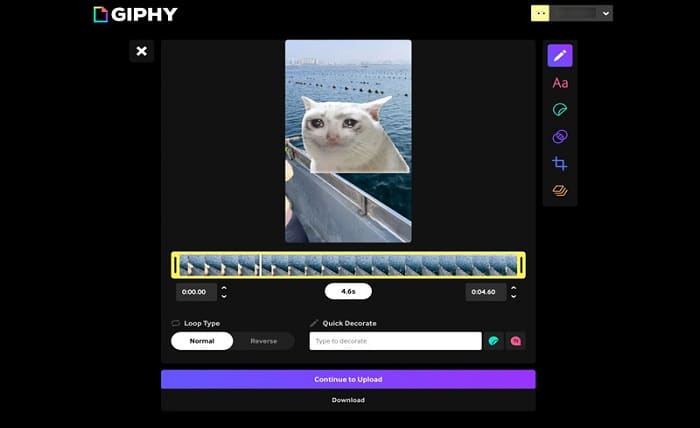
GIFs are a fun and effective way to capture attention online. Whether you want to highlight a product, share a memorable moment, or create engaging social media content, a high quality GIF can make your message more impactful. The key is using the right approach so your GIF stays clear, smooth, and visually appealing.
Start with a High Quality Video
The quality of your GIF depends on the original video. Begin with a high resolution video that has good lighting and stable footage. If the source video is blurry or heavily compressed, the final GIF will also lose clarity.
Trim your video to include only the most important moments. Short clips not only create smaller file sizes but also make GIFs more engaging and easier to share.
Choose the Right Frame Rate
A smooth GIF requires an appropriate frame rate. Too few frames can make the animation appear choppy, while too many can increase the file size without adding noticeable improvements.
For most purposes, a moderate frame rate offers the best balance between smooth playback and efficient file size.
Optimize the Dimensions
Large GIFs often take longer to load and may not display efficiently across platforms. Resize your GIF according to where it will be shared. For example, social media posts may not require full HD dimensions.
Reducing unnecessary width and height while maintaining the correct aspect ratio helps preserve quality and improves performance.
Use Smart Compression
Compression is essential for keeping file sizes manageable, but excessive compression can introduce color banding and reduce sharpness. Choose settings that maintain visual quality while removing unnecessary data.
A reliable online video to GIF converter can automatically optimize the output, making it easier to achieve a clean and professional result without requiring advanced editing skills.
Preview Before Downloading
Always preview your GIF before saving it. Check for smooth animation, accurate colors, and proper timing. If needed, adjust the clip length, frame rate, or dimensions until you are satisfied with the final result.
A quick review can help you catch issues that may affect the viewing experience.
Final Thoughts
Creating a high quality GIF does not have to be complicated. By starting with a clear video, selecting the right settings, and using a dependable conversion tool, you can produce GIFs that look professional and load efficiently. Whether you are creating content for marketing, presentations, or personal projects, a streamlined video to GIF workflow makes it easy to transform everyday clips into eye catching animations.